Overview: From Overlay Hack to Real Temporal Feedback
The original "Feedback Shader" in nyx.vfx didn't actually use a shader. It used an overlay technique: draw a full-screen rectangle every frame, then blend the current input on top. It worked, but it wasn't real temporal feedback.
Why?
-
BlendAlpha+ an overlay quad isn't a true time-based decay. It fades whatever happens to be in the buffer. -
BlendAddcontinuously injects energy, but without a stable, dt-corrected attenuation model.
The goal of this overhaul was simple to state but annoying to execute:
Maintain a persistent history buffer, decay it predictably over time, and inject new input in a controlled way all on the GPU.
The Problem
The old approach was limited in capability and couldn't take advantage of PreShaders (density, velocity, masks). It also made it awkward to add GPU effects like swirl/rotation/flow without building weird side paths around the blend trick.
Here's what it looked like:
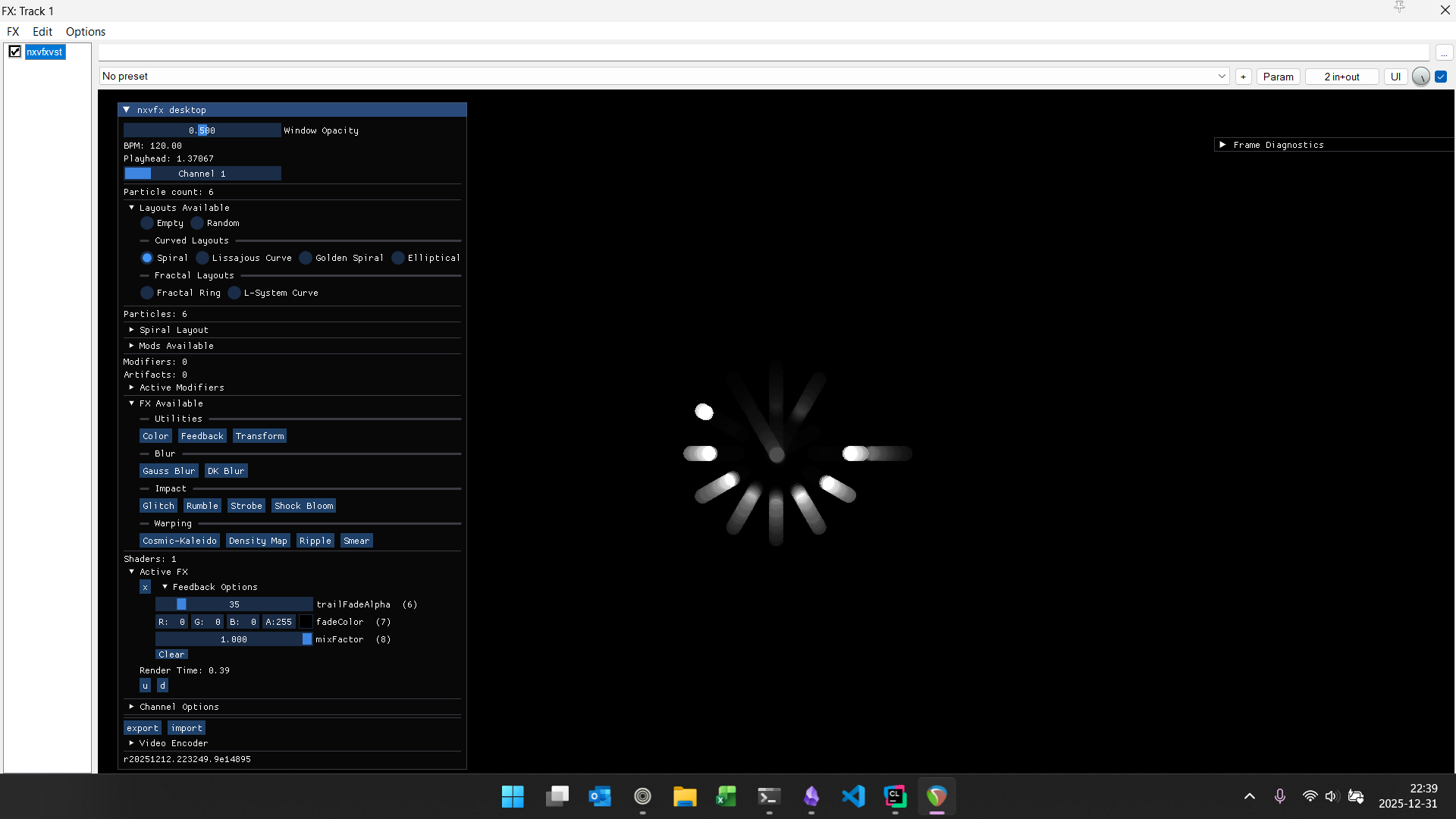
And here's the old implementation (SFML overlay quad):
m_outputTexture.draw(m_fadeQuad, sf::BlendAlpha);
m_outputTexture.draw(sf::Sprite(inputTexture->getTexture()), sf::BlendAdd);
Initial Solution: Make Feedback a Shader
The new feedback core is the canonical model:
- sample history
- apply decay
- add injected input
- clamp/compress for stability
uniform sampler2D u_history;
uniform sampler2D u_input;
uniform float u_decay;   // 0..1
uniform float u_inject;  // 0..1

uniform bool  u_useClamp;
uniform float u_clampMax;

void main()
{
  vec2 uv = gl_TexCoord[0].xy;

  vec4 hist = texture2D(u_history, uv);
  vec4 inC  = texture2D(u_input,   uv);

  vec4 outC = hist * u_decay + inC * u_inject;

  if (u_useClamp)
    outC = clamp(outC, 0.0, u_clampMax);
  else
  {
   // effectively a tone-map/compression. this makes trails linger b/c energy never truly goes to 0 the way a hard clamp + decay might. compression to avoid blowout.
    outC.rgb = outC.rgb / (1.0 + outC.rgb); // compression (soft knee)
  }
  gl_FragColor = outC;
}
Nothing fancy; just correct temporal behavior and stability.
Decay That's Stable Across Frame Rates (Half-Life)
If decay changes with FPS, feedback looks different on every machine. The fix is to compute u_decay from a half-life, meaning "how long until energy falls to 50%."
float dt = std::max(elapsedSeconds, 1e-5f);
float halfLife = std::max(halfLifeSec, 1e-4f);

// dt-stable decay coefficient in [0, 1]
float decay = std::exp2(-dt / halfLife); // == pow(0.5f, dt/halfLife)
This is the baseline behavior I consider "real feedback." But it needed some artistic flare.
Artistic Modulation: Pulsing / Breathing Feedback
Once the baseline is correct, you can modulate it for creative control. One effect I wanted was periodic clearing to create a "breathing" feedback field that ramps up, then relaxes.
For that, I built a simple up/down clock. Here's the heart of the class.
float getTime()
{
  // get frame latency (~16ms between restart)
  const auto delta = m_timer.restart();

  if ( !m_reachedMax )
  {
    m_currentSeconds += delta.asSeconds();
    m_reachedMax = m_currentSeconds >= m_maxSeconds;
  }
  else
  {
    m_currentSeconds -= delta.asSeconds();
    m_reachedMax = m_currentSeconds >= m_minSeconds;
  }

  return m_currentSeconds;
}
And then I use yt directly as a decay.
float t = m_dtClock.getTime(); // seconds
That gives me:
- sticky trails (high decay)
- full clears (low decay)
- slow bounce-back instead of a hard reset pulse
And once you combine that with velocity-driven warps, you get the kind of "magnetic" feedback behavior shown in the demos.
Magnetic pull:
Magnetic push:
Feedback + Rumble + Kaleido: