
Plugins
nyx.vfx: MIDI-driven real-time visual effects engine
nyx.blocks: Overhaul of nyx.vtheory (chord & music theory tool)
nyx.vtheory: Interactive chord and music theory tool
Libraries & Tools
nyx.wnd + nyx.host: Cross-platform embedded windowing and plugin UI test infrastructure
Spectral MIDI Engine: Real-time spectral analysis and audio-to-MIDI experimentation
nyx.vfx vst3 plugin
Real-time MIDI-driven visual effects engine · VST3 · C++ · OpenGL
Download Win64 · Download Linux
nyx.vfx is a multithreaded, real-time shader pipeline for creating GPU-accelerated visual effects synchronized with musical events.
Originally developed to synchronize music with video effects in DaVinci Resolve, the project evolved into a modular visual engine supporting MIDI-driven effects, parameter automation, multi-pass shader processing, and frame-accurate video export.
Highlights
- Multi-pass GPU shader pipeline
- MIDI-driven visual triggering and automation
- Dynamic VST3 parameter registration
- Frame-accurate video export
- Interactive effect design and experimentation
Watch
Architecture & Engineering Articles →
nyx.blocks vst3 plugin
MIDI Music Aid · VST3 · C++ · OpenGL
Download Win64 · Download Linux
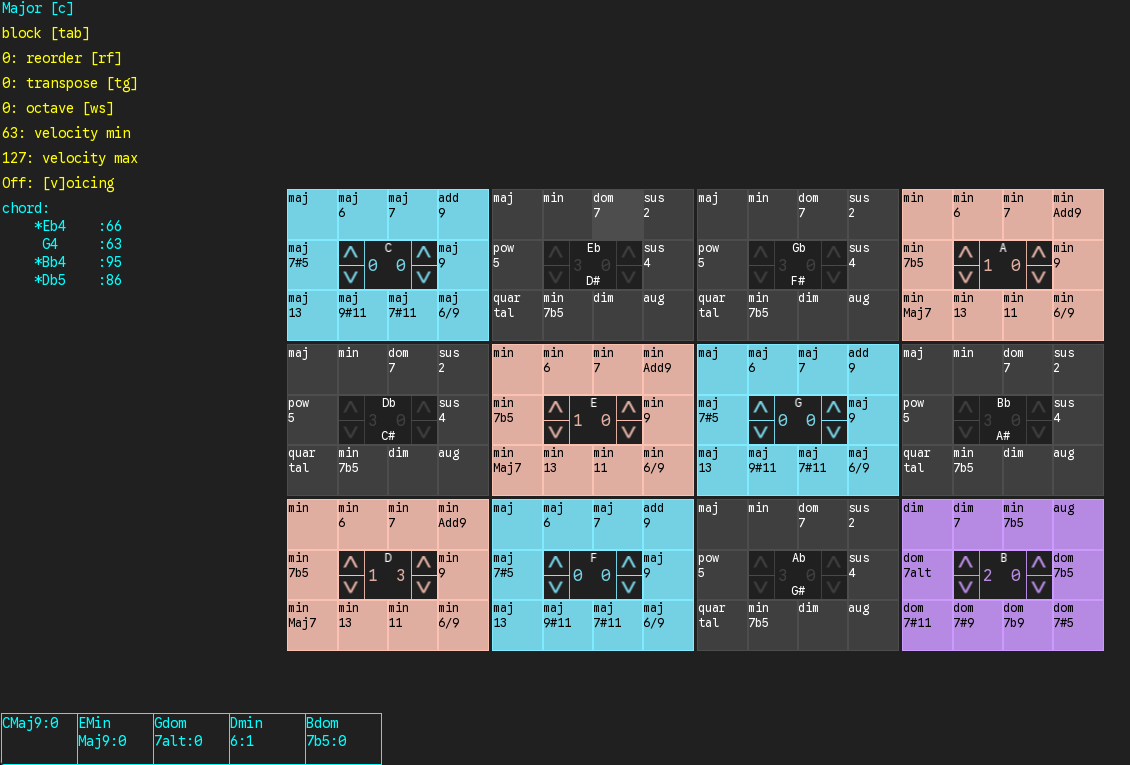
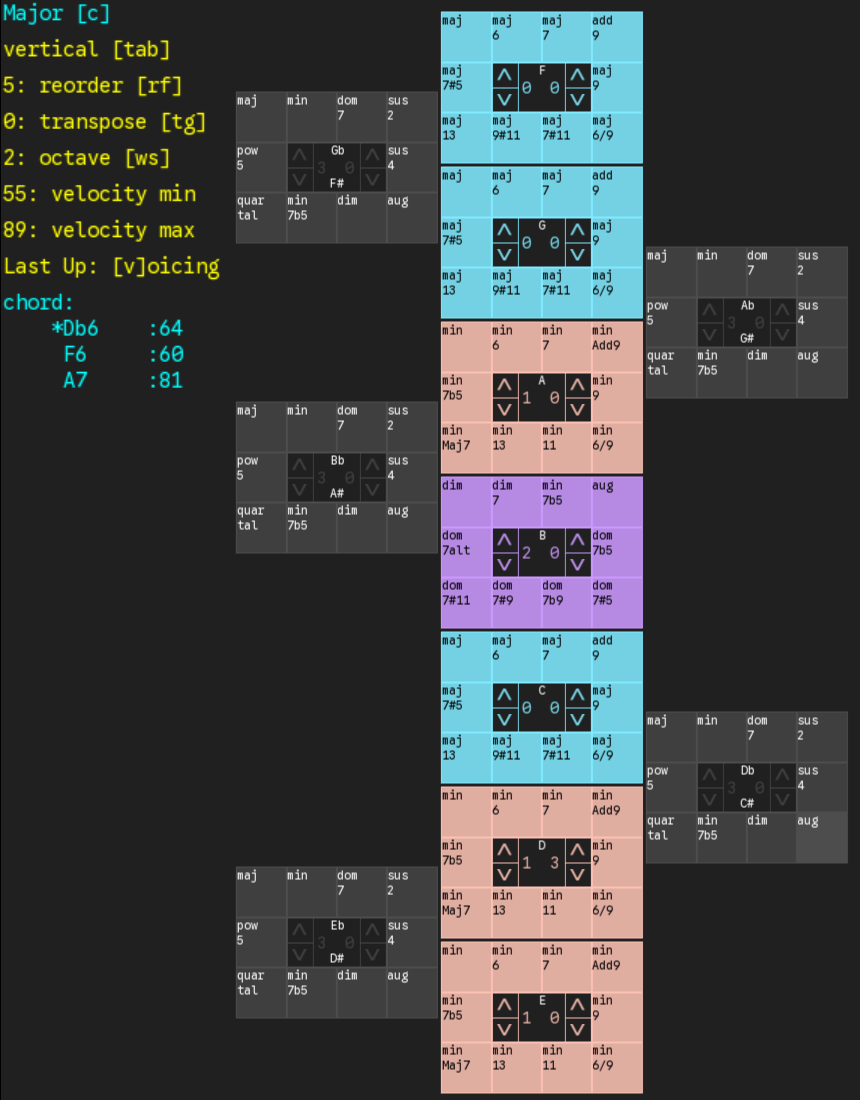
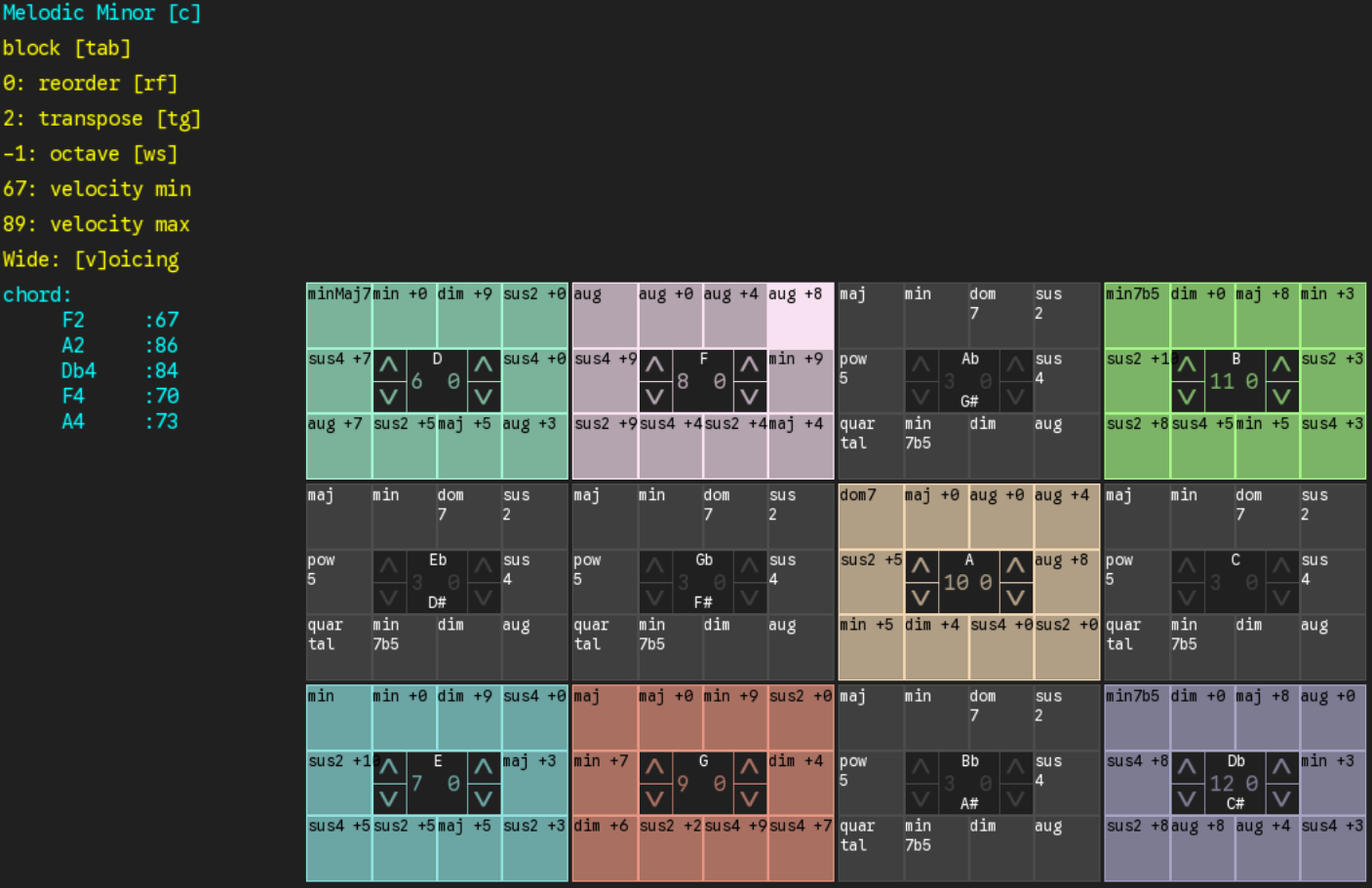
Interactive midi tool for exploring chord progressions and harmonic relationships. Has a plethora of options and quick key commands for changing:
- note layouts
- chord layouts
- voicings
- chord inversions
- octaves
- midi velocity ranges
- stacked chord choices
- custom chord chains to make recording performances easier (middle mouse button to add to chord chain, middle mouse button on chord chain to delete it)
- easy navigation
- right-click navigation (hold right mouse button and move mouse)
- zoom in & out with mouse wheel
While hovering over a note block, you can quickly change the chord inversions and layouts using 'I' and 'L' respectively.
NOTE: this plugin replaces nyx.vtheory.
Block Note Layout
Vertical Note Layout
Melodic Minor Block Layout
nyx.vtheory vst3 plugin
Interactive chord and music theory tool · VST3 · C++
Deprecated: this VST3 plugin has been replaced with nyx.blocks.
nyx.vtheory is an interactive tool for exploring chord progressions and harmonic relationships without interrupting the creative process.
It provides visual chord relationships, rapid progression building, custom layouts, and chord stacking in a lightweight VST3 plugin.
Highlights
- Visual chord relationship mapping
- Rapid progression experimentation
- Custom progression creation
- Flexible layouts and chord stacking
Watch
nyx.wnd & nyx.host
Cross-platform embedded windowing and plugin UI test infrastructure · C++ · Win32 · X11
nyx.wnd on GitHub · nyx.host on GitHub
nyx.wnd is a lightweight glue library for environments where an application or plugin framework provides a native parent window but leaves management of the embedded UI to you.
It creates and manages the child window, provides event-loop and UI-thread scheduling, and stays independent of the renderer placed inside it.
nyx.host provides the other side of that boundary: a lightweight standalone host for developing and testing embedded UIs without requiring a complete VST3 plugin or DAW.
Read the Architecture & Design Article
Spectral MIDI Engine Testbed
Real-time spectral analysis and audio-to-MIDI engine · C++ · FFT · MIDI
The NyxFX Spectral MIDI Engine explores the problem of extracting musically meaningful MIDI events from real-time spectral content.
Built as the signal-analysis backbone for nyx.vfx, its standalone test environment provides deterministic signal generation, FFT visualization, interchangeable mapping algorithms, and tools for developing and evaluating audio-to-MIDI strategies.

Highlights
- Real-time ring buffer and overlapping FFT processing
- Configurable windowing and FFT pipeline
- Hot-swappable spectral-to-MIDI mapping
- Harmonic Energy and Gaussian Cents mapping
- Multi-region spectral analysis
- Synthetic signal generation for deterministic testing
- Real-time FFT and MIDI visualization
Engineering Series
The project is documented through a technical series following the architecture and algorithm development:
Part 1: Test Infrastructure
Part 2: Simulation, Ring Buffers & FFT
Part 3: Windowing & Harmonic Energy Mapping
Part 4: Gaussian Cents Mapping